Most recruit classes still run on sign-in sheets, paper skills books and a gradebook on someone's laptop. When a recruit finishes, their record stays behind with the academy. 911 Analytics puts the whole class in one place, on the same platform departments use every day, so the record can go with the trainee.
Build the course once
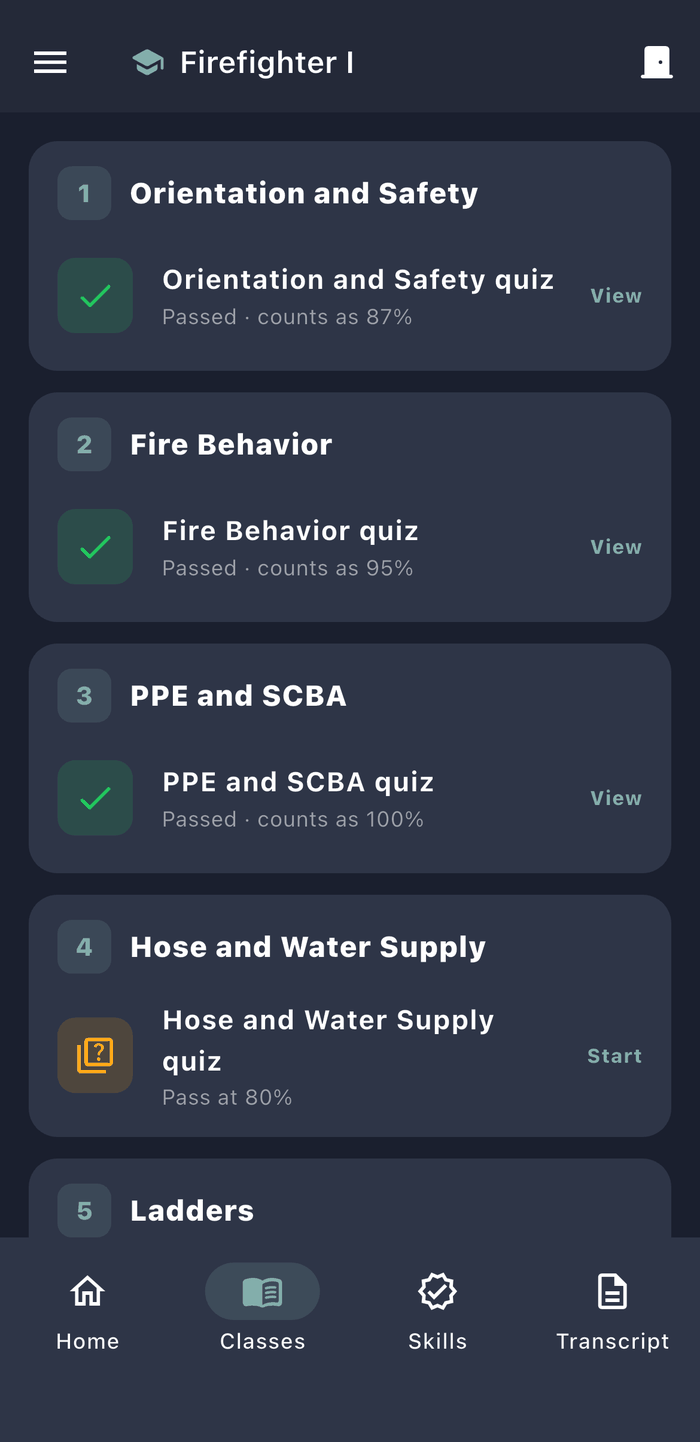
Lay the course out in modules, like Ladders, Hose or SCBA, and reuse it for every class you run.
- Videos from YouTube or Vimeo, played right in the module. Nothing is uploaded.
- As many quizzes as you need, per module or on their own, multiple choice or true and false, with an optional time limit
- A pass score for the course, or a different one for any quiz
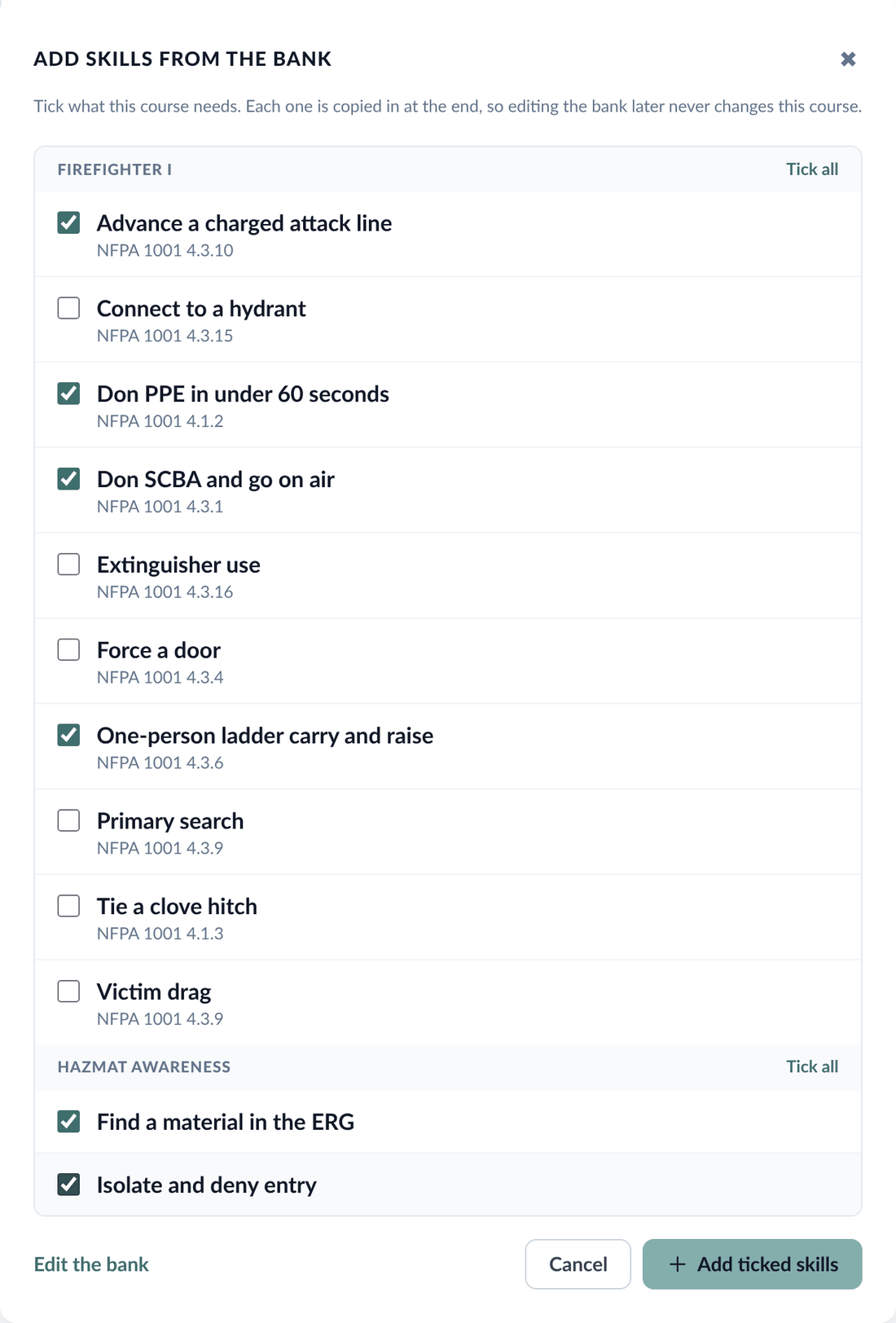
- The practical skills each trainee has to show, with the standard each one meets, like an NFPA 1001 JPR
- Course standard, required hours, the minimum average and a minimum on the final
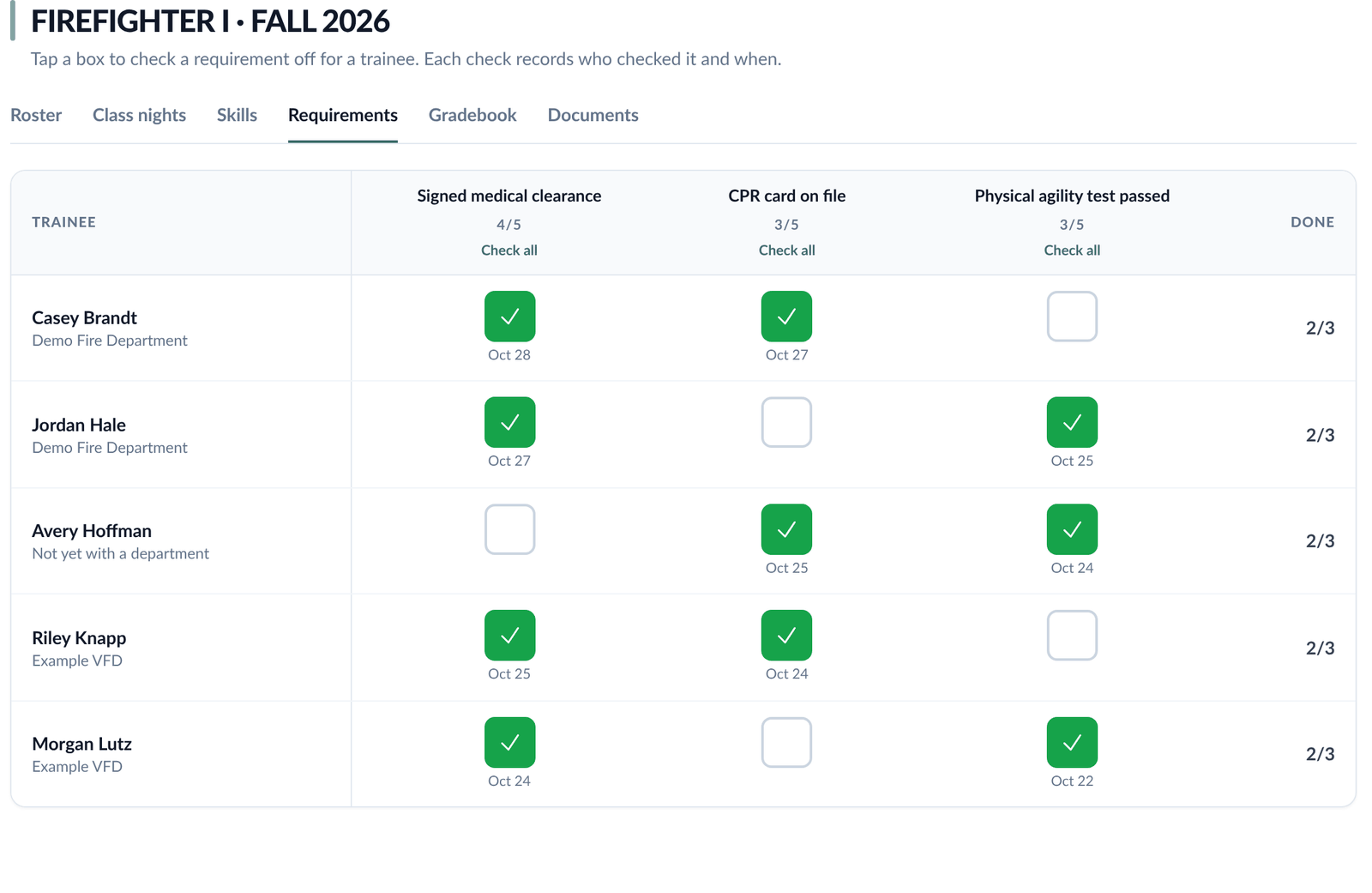
- Requirements that aren't a quiz or a skill, like a CPR card on file or a physical agility test, checked off per trainee
- A bank of skills and requirements for your academy. Tick some or all to copy them into any course, and the course keeps its copy even if the bank changes later.
Check in at the door
Put the door screen on a TV or an instructor's phone. It shows a QR code that changes every 30 seconds, so a photo of yesterday's code won't get anyone credit. Trainees scan it with their phone, or type the 6-character code into the 911 Analytics app.
- Check-in opens 30 minutes before class and closes when class ends
- Hours count toward the course automatically
- Instructors can mark someone present by hand and adjust hours for a late arrival or an early exit
- The attendance list for each night stays with the class
Grade it the way a real class grades
Scores are kept as percentages, and the course average is weighted by category, like quizzes at 60% and the final at 40%.
- Your academy chooses which attempt counts: the first, the best or the latest
- Set how many retakes a trainee gets after a failing score, and whether a retake can count higher than the pass score
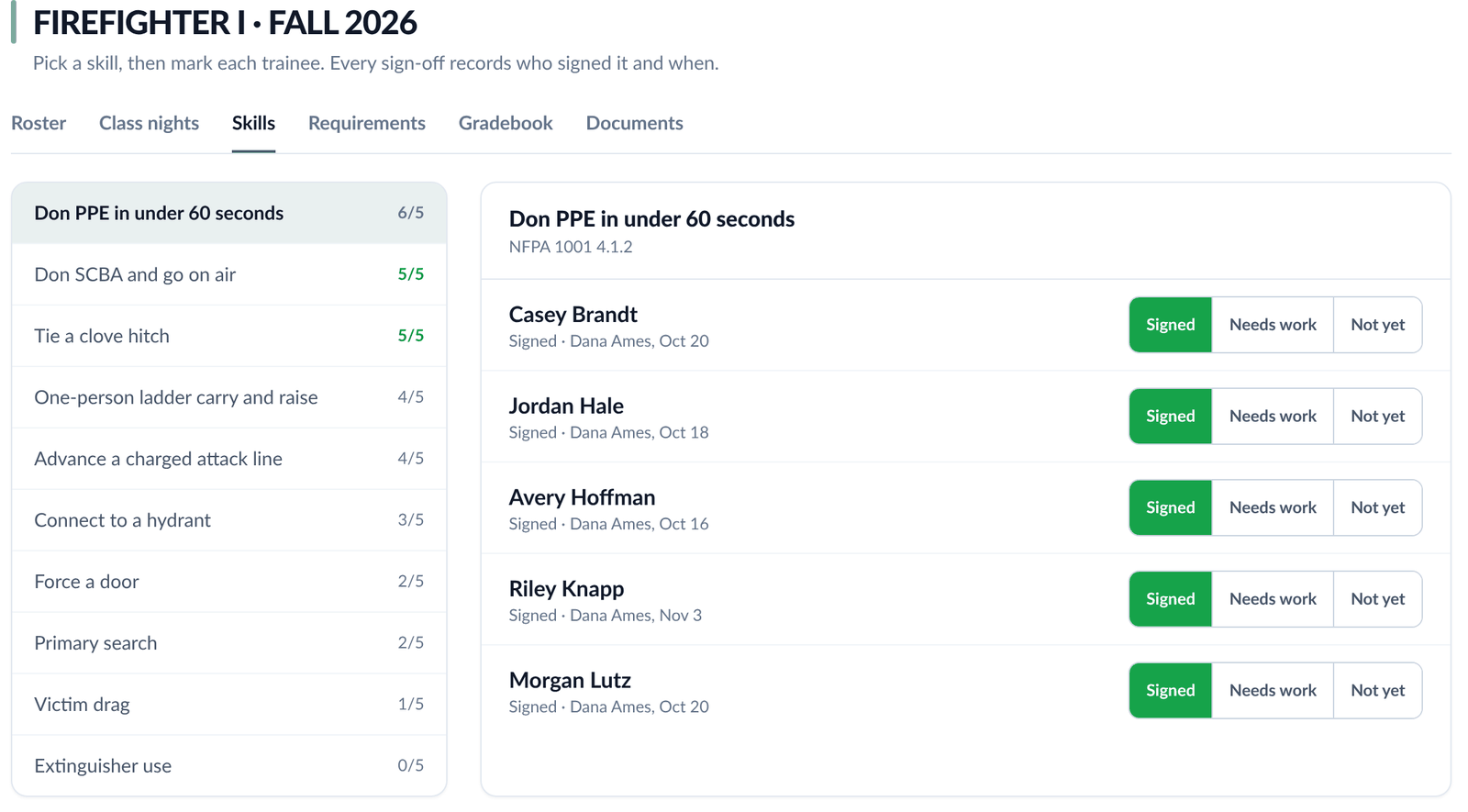
- Instructors sign off each skill as signed, needs work or not yet, with a note
- The gradebook shows every trainee's hours, quizzes, skills and average on one screen
- Trainees see their own grades and exactly what's left to finish, and nothing about anyone else
- The final exam stays hidden until a trainee has passed every other required quiz
The transcript
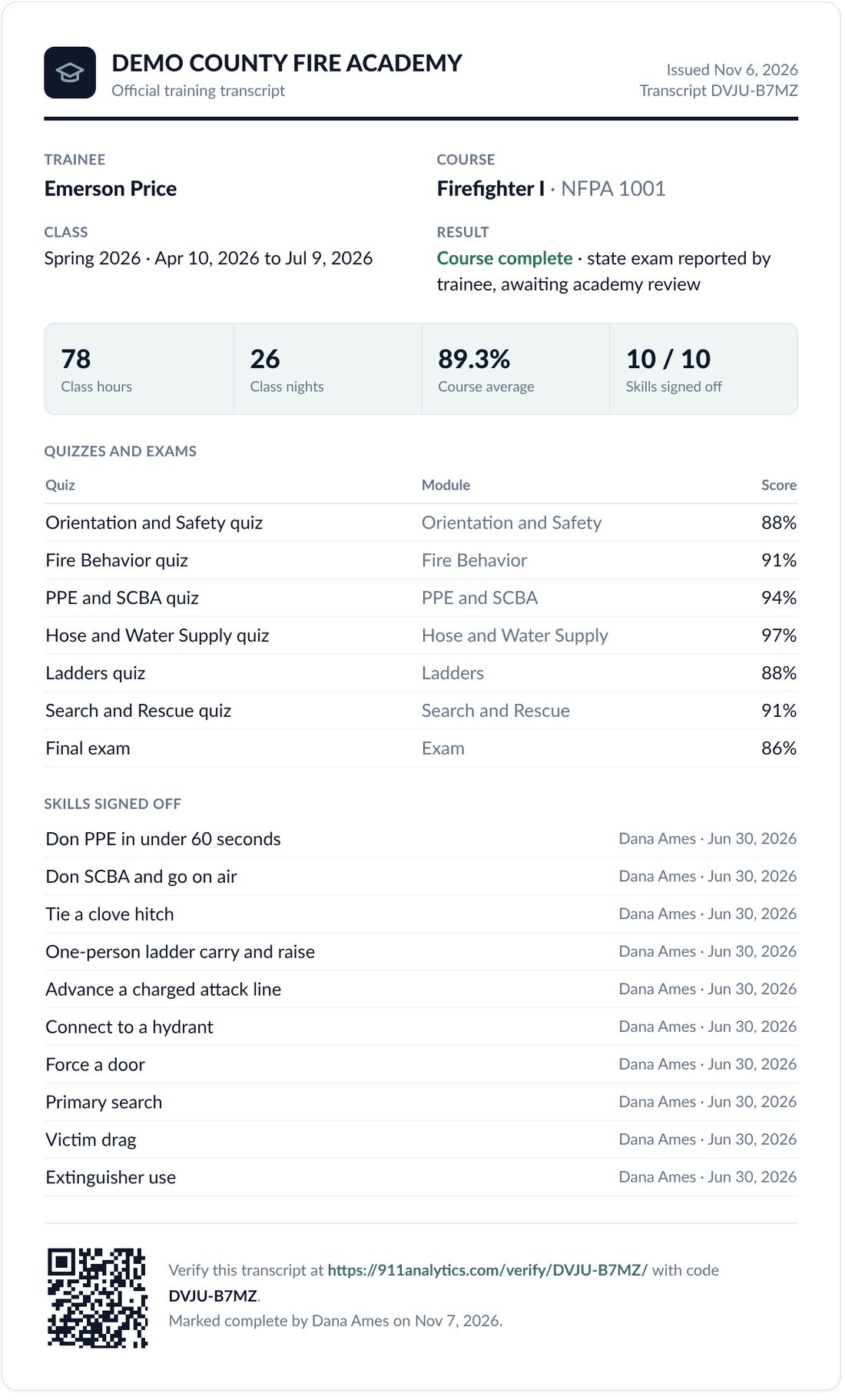
When a trainee finishes, the lead instructor issues the transcript. It lists the hours, every quiz, every skill and the final average.
- Print it, save it as a PDF, or email it from the academy to a department or a state office
- Each transcript has a verification code, and anyone can confirm it's genuine on the verify page
- Once the trainee passes the state exam they add the result, an instructor confirms it, and the transcript updates
Trainees see the academy and nothing else. A trainee login opens their classes, videos, quizzes, skills, grades and transcript. It never reaches a department's personnel, run reports or other records, on the website or in the app.
When they join a department
A trainee might finish and join right away, wait a while, or join a department that isn't on 911 Analytics yet. The record waits for them either way.
- The department sends a request, and the trainee agrees to share the finished class
- The department gets its own read-only copy of the academy record on the member's file
- Class nights are scored with that department's own points rules, since every department scores differently
- The certification is added once the state exam is confirmed
- The trainee keeps the same login, now in the department
Who can run an academy
Any department on 911 Analytics can start an academy, for its own recruits or for a county or regional class. Instructors from departments that aren't on 911 Analytics can still teach, with a login that opens only the academy. Trainees are invited by email and set their own password.